
ParrotPoster plugin for WordPress
The plugin connects the ParrotPoster auto-publishing service to your WordPress site. What you get:
- Easy sharing: you write a post on the site, and the plugin publishes it to all connected social networks
- Convenient management: the whole publishing flow is controlled from the plugin
View the plugin on WordPress.org.
Installation
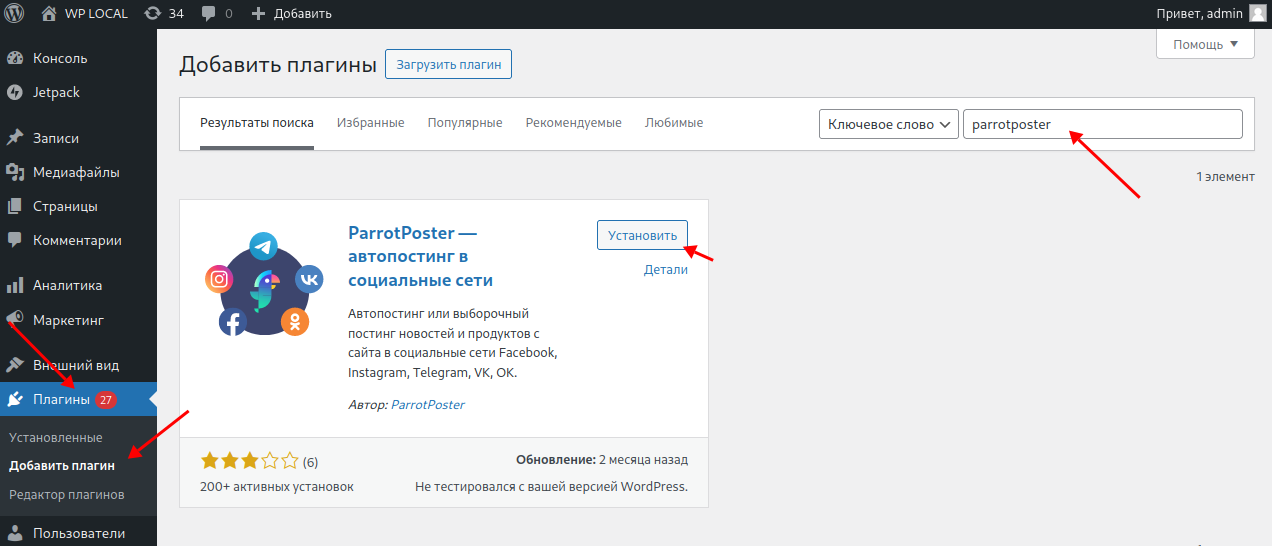
In your WordPress admin, go to Plugins → Add New. In the search box, type parrotposter. Find ParrotPoster - autoposting to social networks and click Install Now.
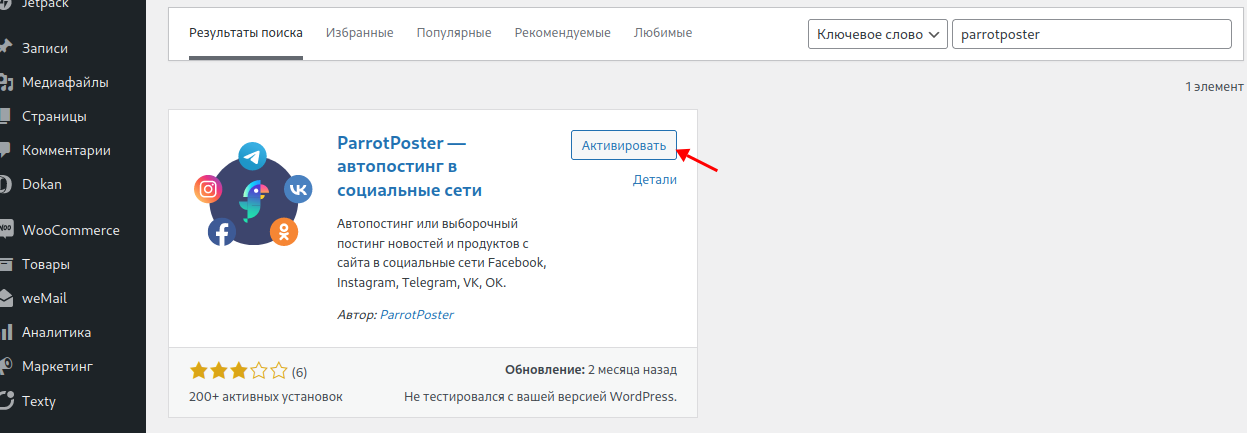
Then click Activate.
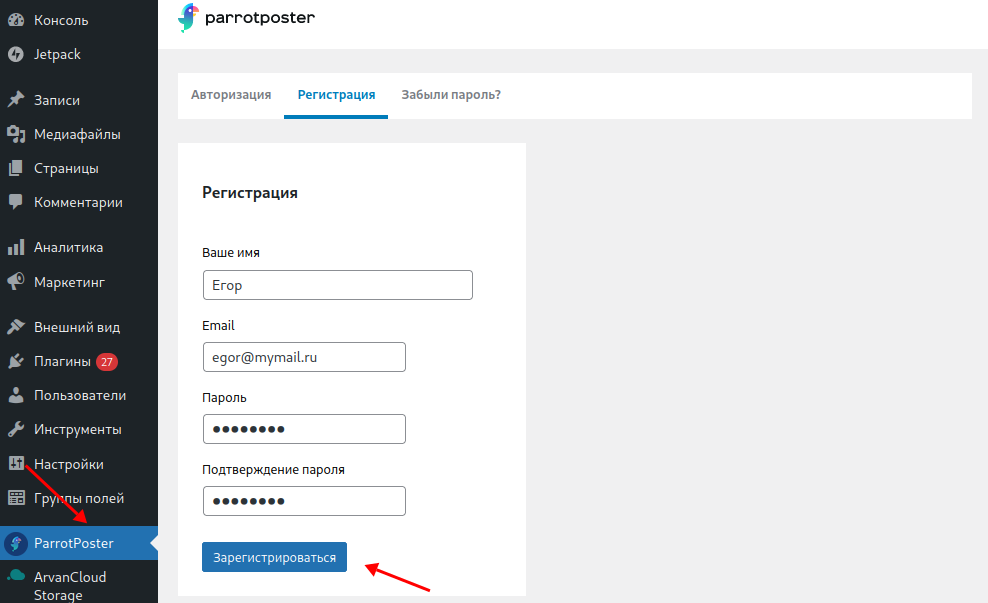
A ParrotPoster item should appear in the left menu. Open it — you will see the sign-in / sign-up screen. This is required because the plugin uses the cloud service parrotposter.
After registration you get a 14-day trial to try the plugin.
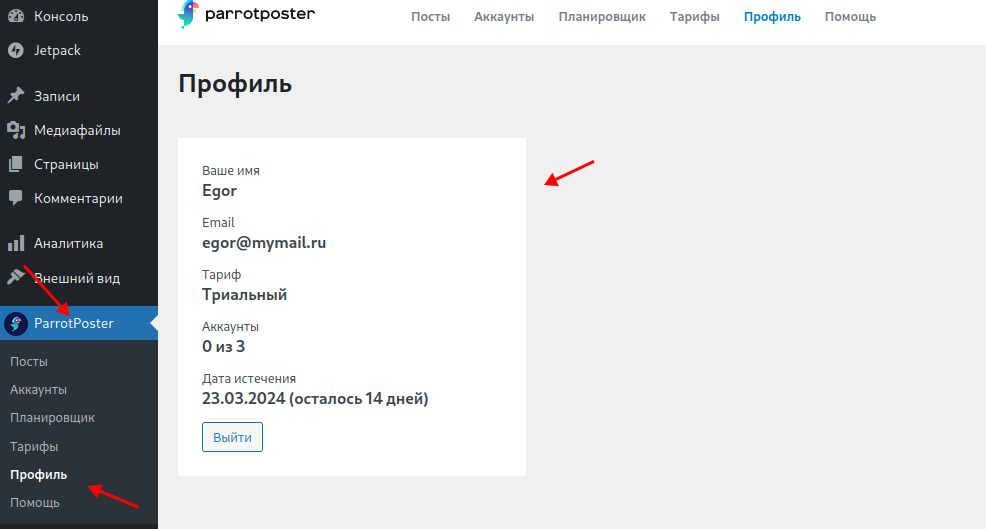
After successful registration, open ParrotPoster → Profile for your current account summary.
You can use the same login and password on parrotposter.
Next, connect the social accounts you need.
Connecting accounts
To add an account, go to ParrotPoster → Accounts. You will see buttons for each supported network.
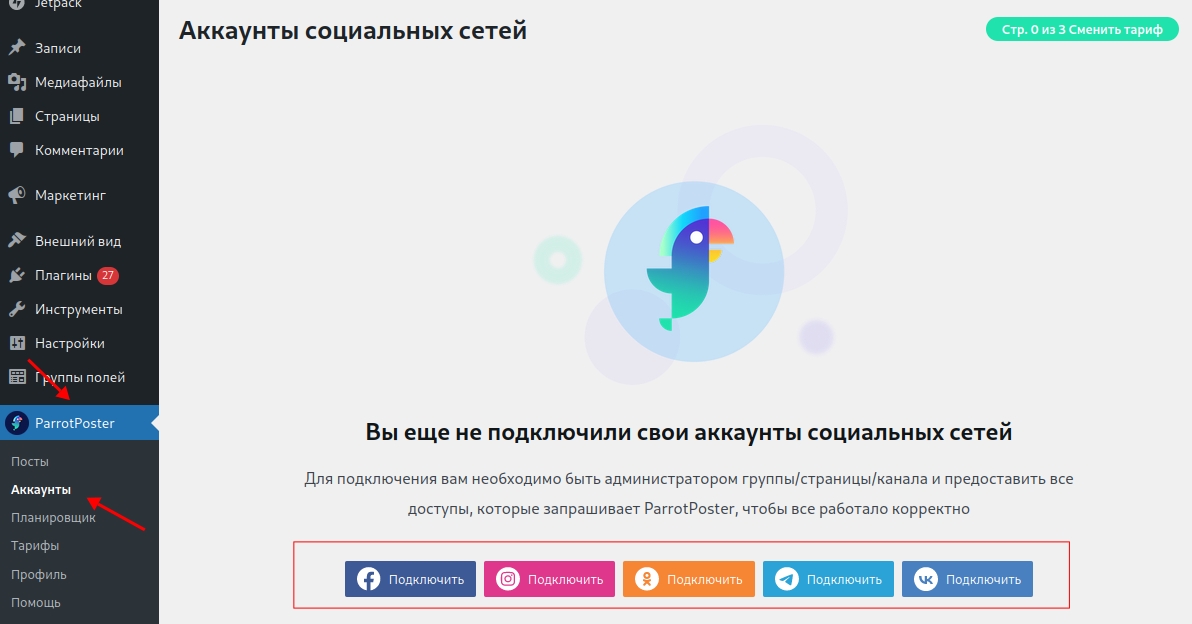
Connecting a network is streamlined: click Connect and pick the page or group you need.
For more detail, open the documentation page for each network: