
Publishing to Dzen
How it works
Dzen does not offer a public API for third-party services to publish directly to Dzen. The official way to automate publishing is via the official Dzen Telegram bot @zen_sync_bot, which mirrors posts from your Telegram channel to Dzen.
The flow is simple: ParrotPoster publishes to your Telegram channel → the bot copies it to Dzen.
Limitations
- Editing or deleting a post in Telegram is not synced to Dzen — changes are made manually in the Dzen studio.
- The Telegram channel must be public.
- Posts with text become articles in Dzen; posts with only photos or video become media posts.
Step 1. Connect your Telegram channel in ParrotPoster
If you have not added your Telegram channel to ParrotPoster yet, do that first.
👉 Telegram channel connection guide
Then return here and continue setup.
Step 2. Link your Telegram channel to Dzen
2.1. Get an access code in the Dzen studio
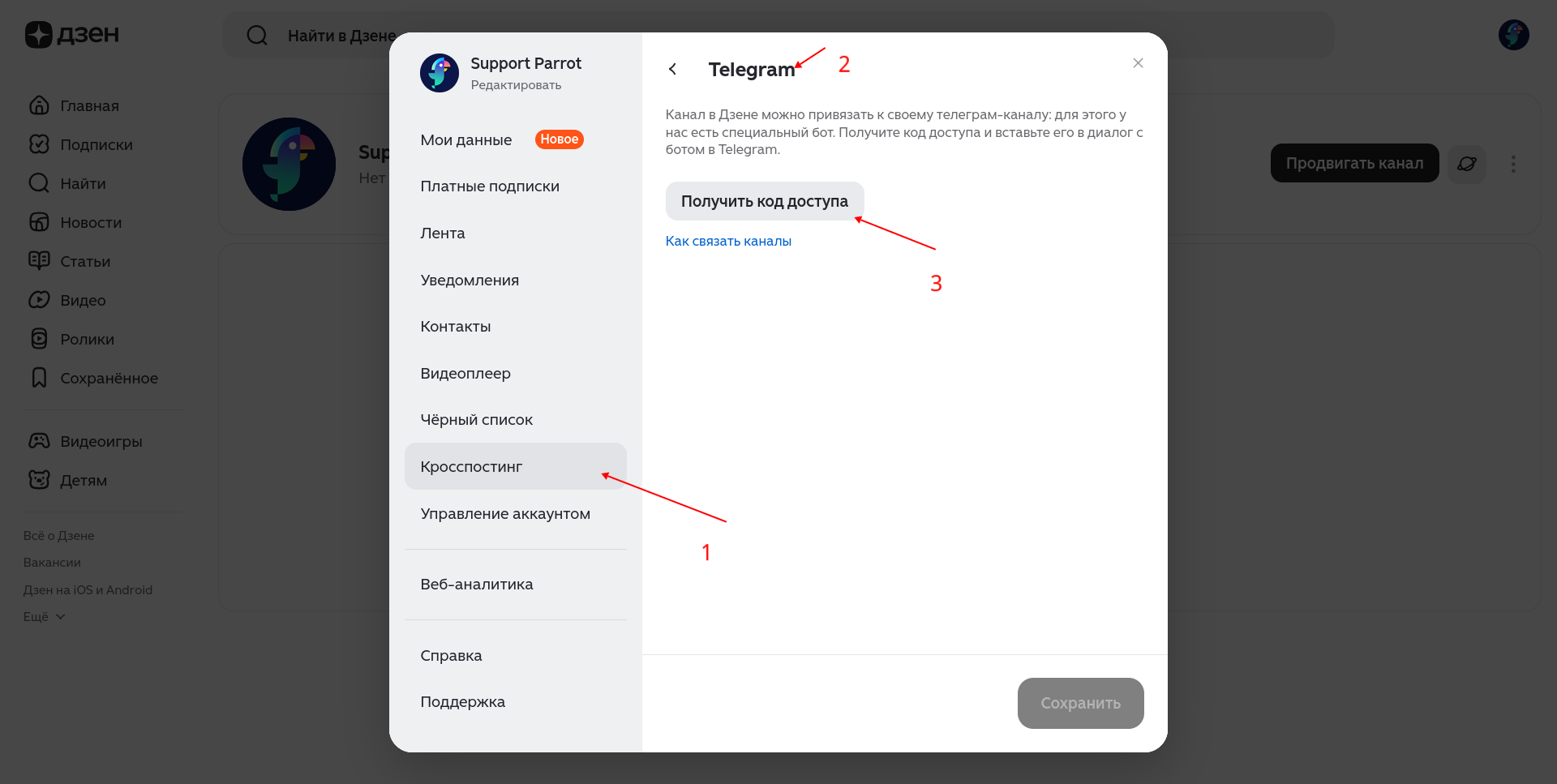
- Open your channel and go to channel settings.
- In the left menu, open Settings → Cross-posting → Telegram bot.
- Click Get access code.
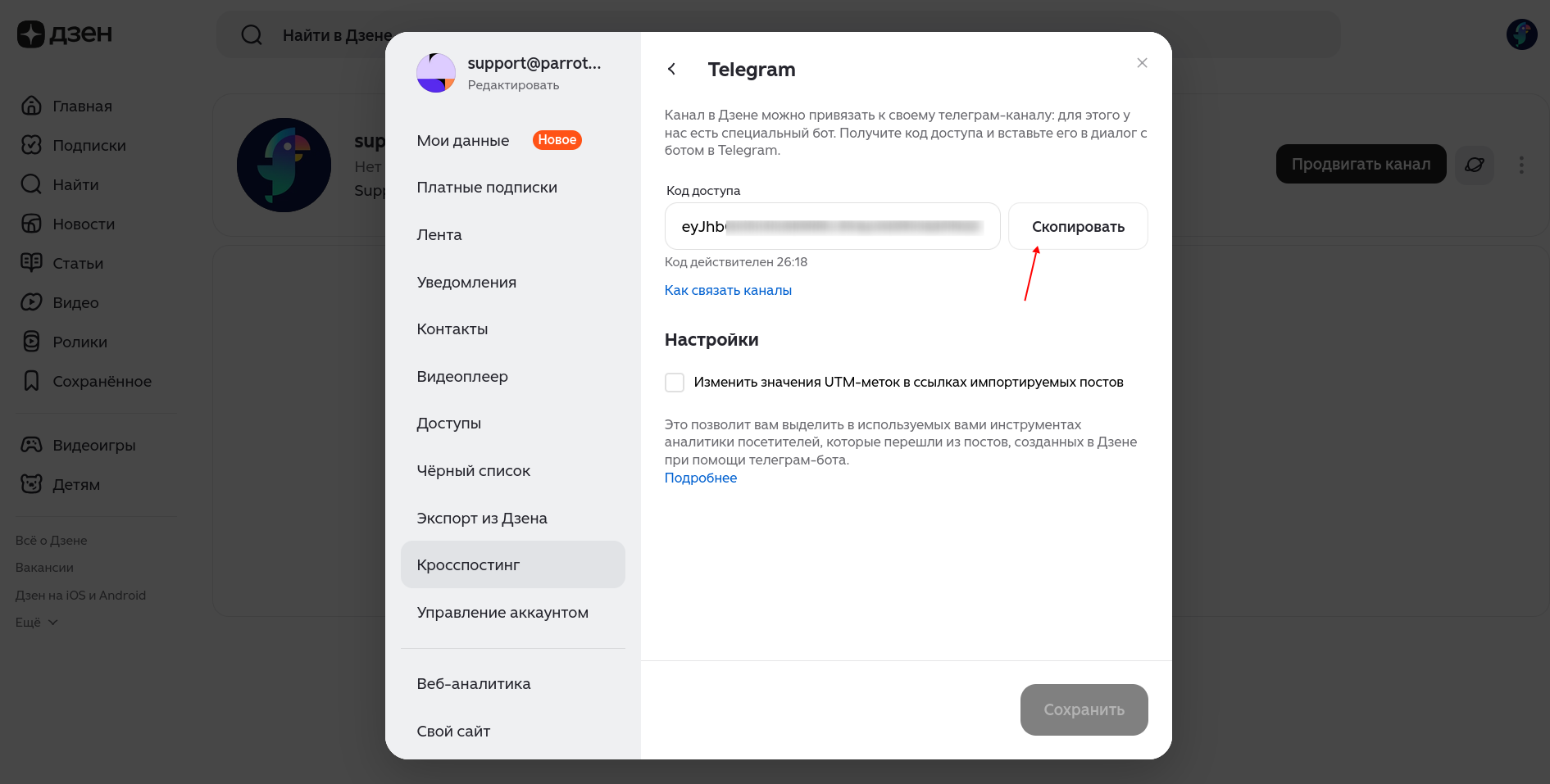
The code is a long alphanumeric string. Copy it — it is valid for 30 minutes, then you need a new one.
2.2. Link the channel via the Dzen sync bot
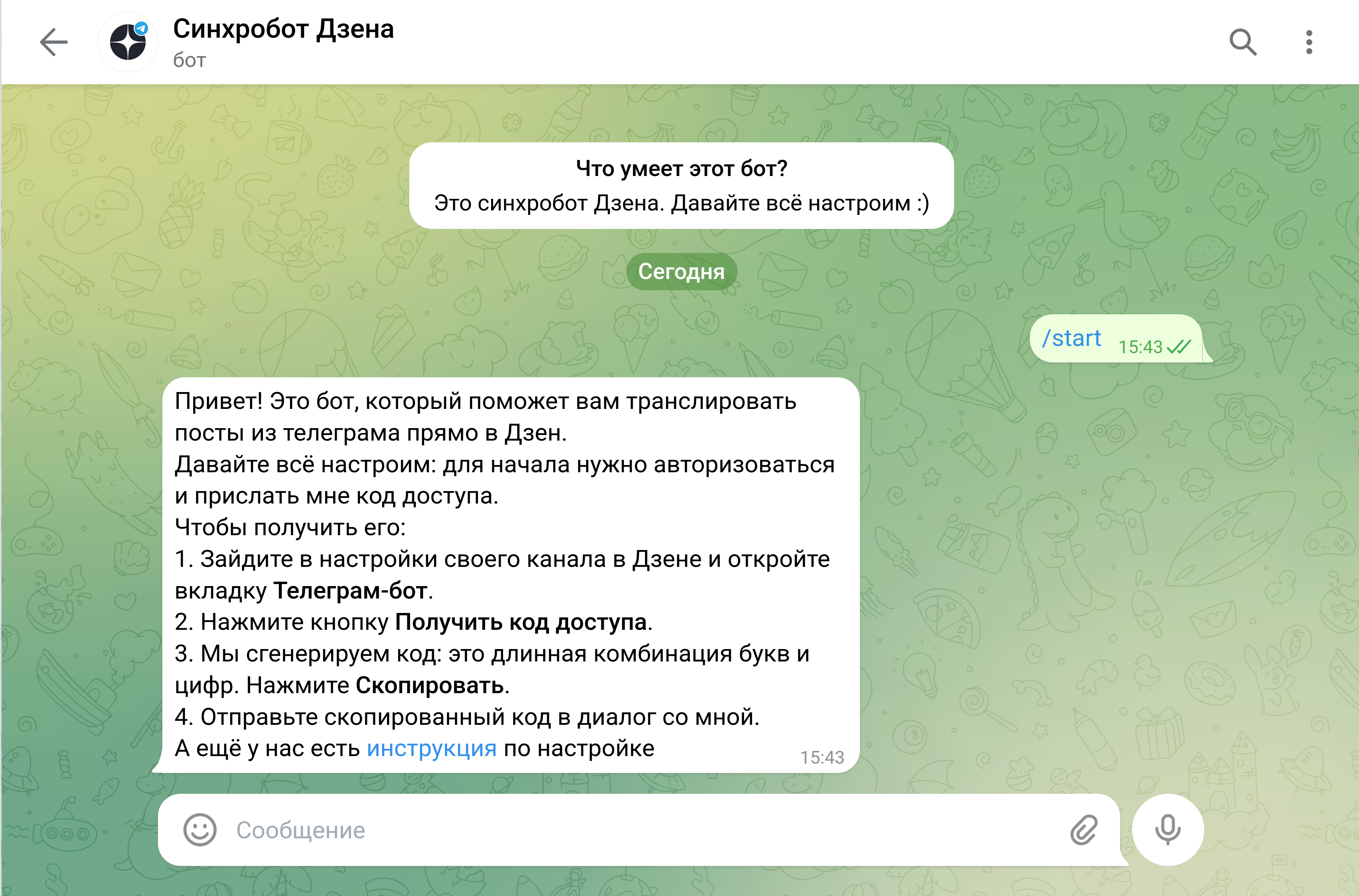
- Open Telegram and find @zen_sync_bot (“Dzen sync bot”).
- Tap Start (or send
/start).
- Paste the copied code into the chat. The bot will confirm linking to your Dzen channel and ask for consent.
- Confirm.
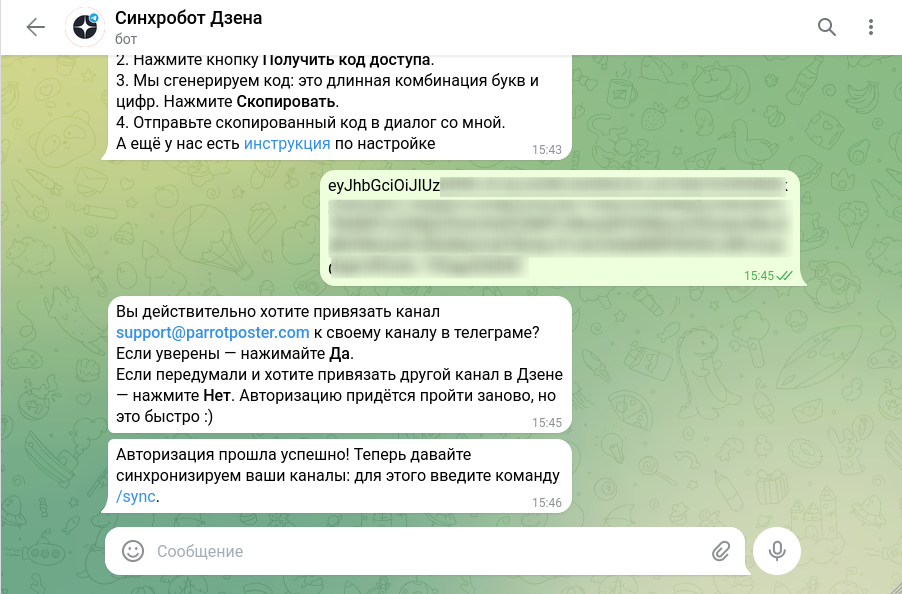
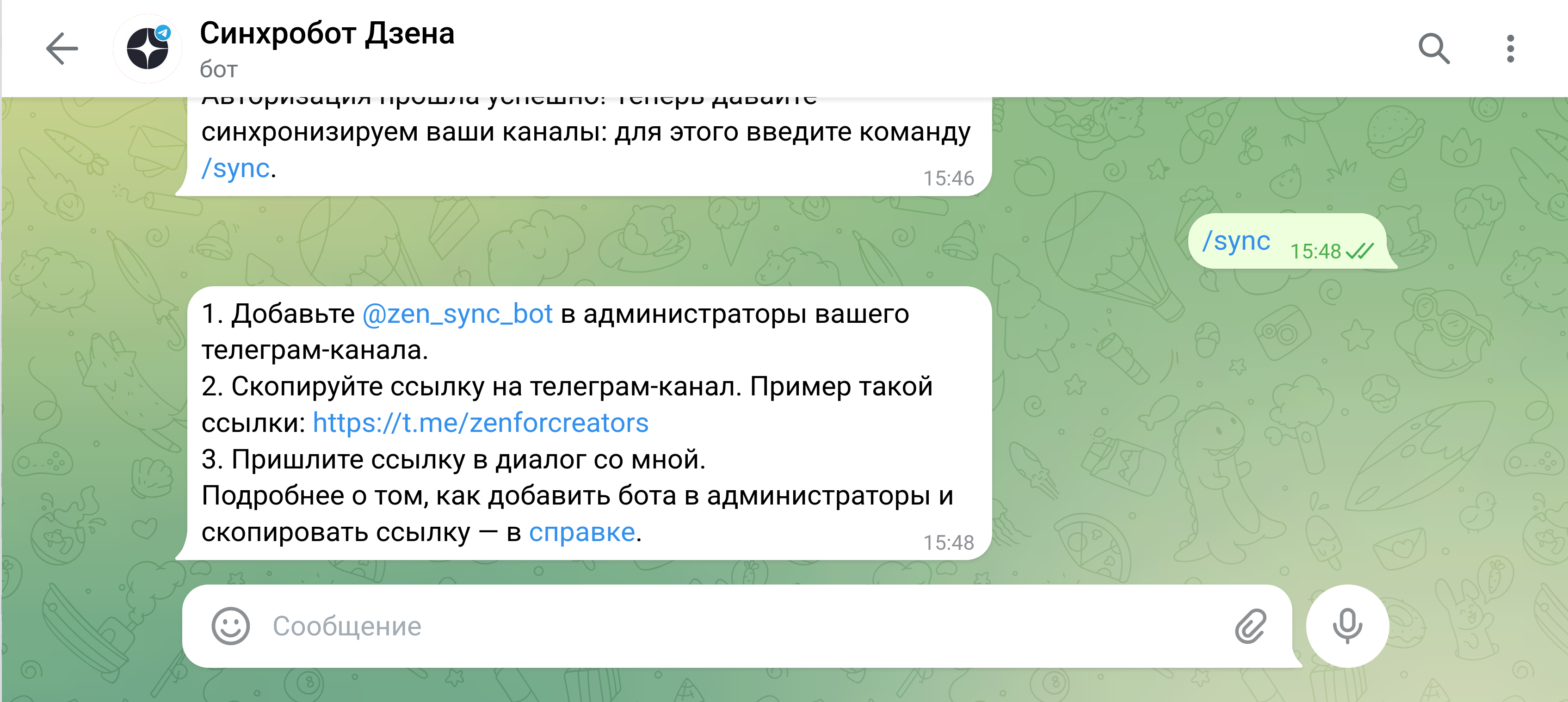
- Send the
/synccommand.
2.3. Add the sync bot as an admin of your Telegram channel
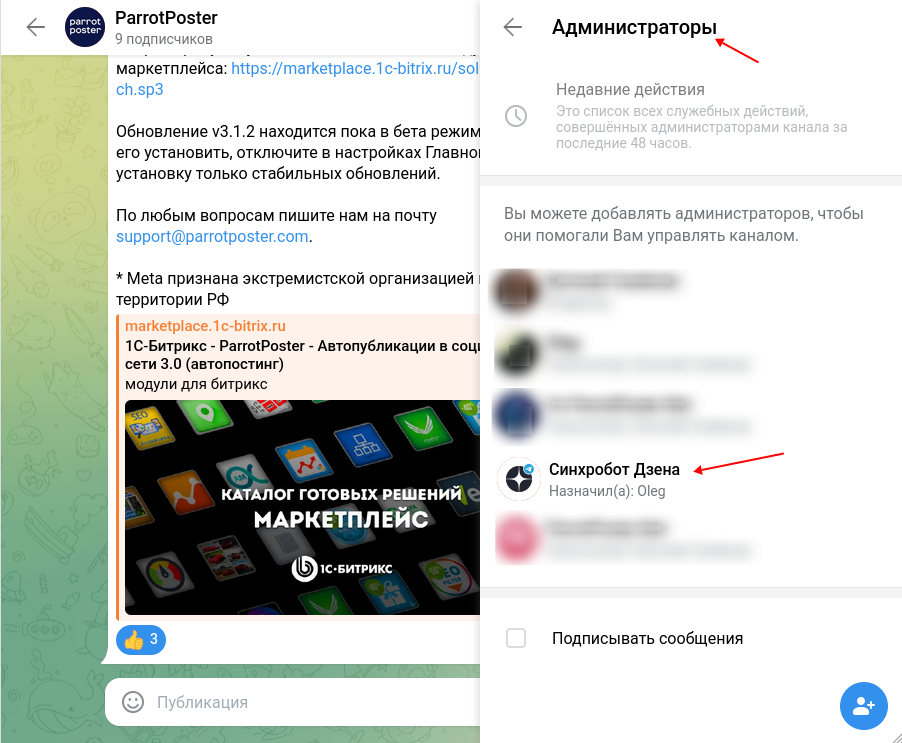
The bot will ask you to add it as an administrator of your Telegram channel.
- Open your Telegram channel and its settings.
- Go to Administrators → Add administrator.
- Search for @zen_sync_bot and select it.
- Confirm (it is enough to leave Post messages enabled).
2.4. Send the channel link to the bot
- Return to the chat with @zen_sync_bot.
- Copy your Telegram channel link (like
https://t.me/channel_name) and send it to the bot.
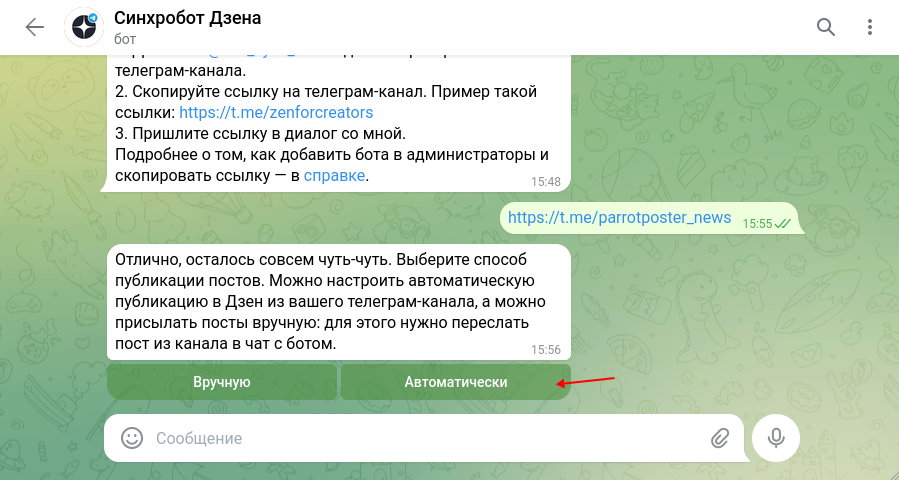
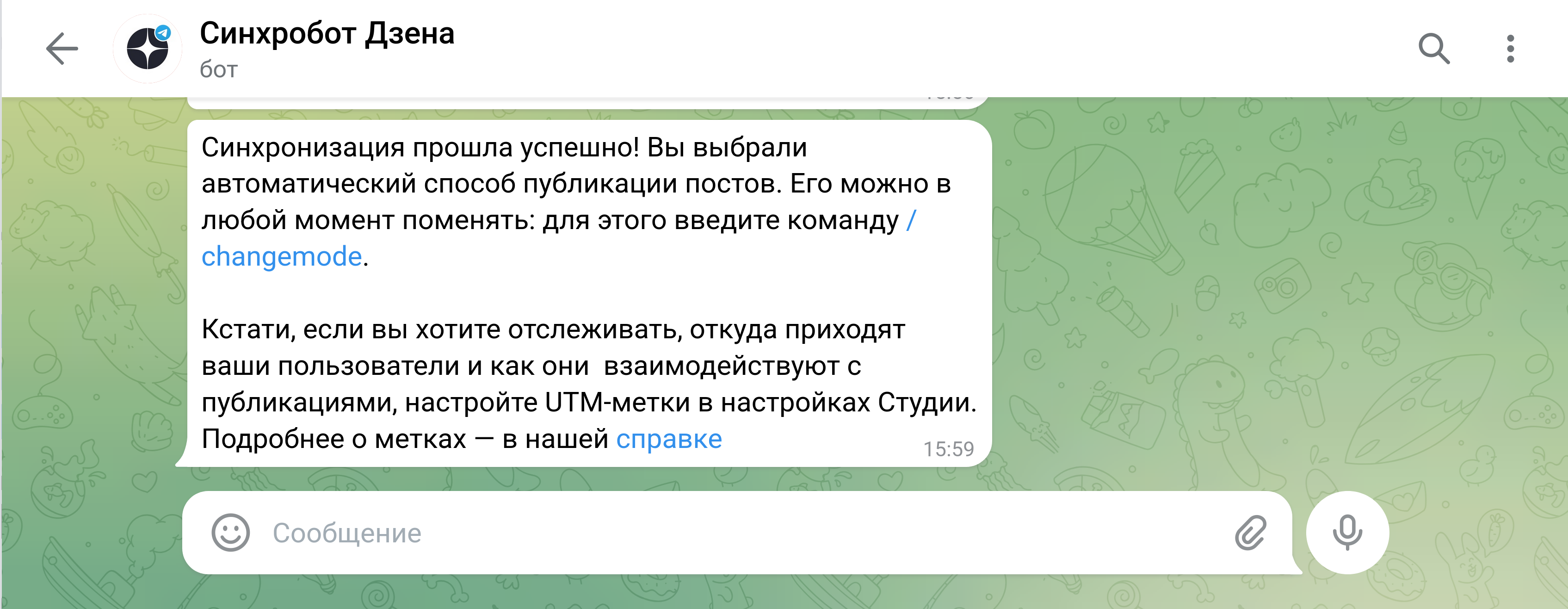
- Choose publishing mode: automatic (all channel posts are duplicated to Dzen) or manual (forward only selected posts to the bot chat).
We recommend automatic
With ParrotPoster, automatic mode is more convenient — every post sent through ParrotPoster to the Telegram channel appears in Dzen without extra steps.
Step 3. Verify it works
- In ParrotPoster, create a test post and select your Telegram channel as the publishing target.
- After publishing, check your Telegram channel — the post should appear.
- After 2–5 minutes, open your channel in Dzen — the post should appear there as well.
What happens with long posts
| Text length in Telegram | Format in Dzen |
|---|---|
| Up to 1,500 characters | Post |
| From 1,500 to 3,000 characters | Article or multiple posts (by Dzen) |
| No text (photo or video only) | Media post |
FAQ
Can I connect several Dzen channels?
Yes. Each Telegram channel must be linked to its own Dzen channel via the bot — create a separate ParrotPoster account for each TG channel if needed.
I edited/deleted a post in Telegram — will Dzen update?
No. Edits and deletions in Telegram are not synced to Dzen. To change material already in Dzen, open Dzen Studio and edit there.
The post is in Telegram but not in Dzen
Wait 5–10 minutes — sync can take a bit longer. If it still does not appear:
- Check that @zen_sync_bot is still an administrator of your Telegram channel.
- Check that the Telegram channel is public.
Can I publish only to Dzen, without Telegram?
No — that option does not exist. Dzen receives posts only from a Telegram channel via the sync bot.