
Connecting Telegram
To connect a Telegram group or channel, you first need to create a bot and then add it as an administrator of the group or channel.
It takes a few more steps than with other networks, but it is still straightforward — take your time.
Creating a bot
Start a chat with Telegram’s bot for creating bots: @BotFather. This bot creates other bots and lets you manage them. We need the simplest kind of bot.
Send /start to BotFather. It will reply with a list of available commands. You do not need to learn all of them right now.
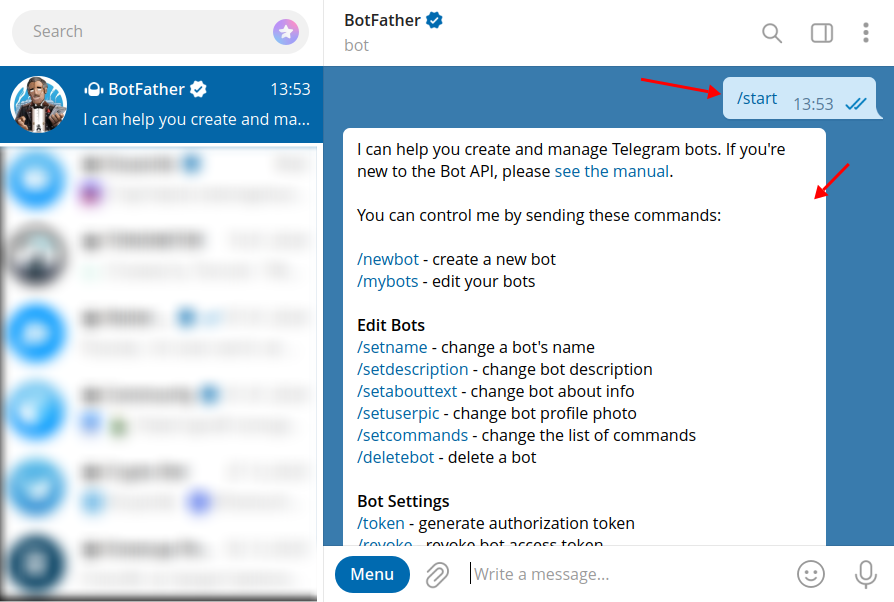
Now send /newbot. BotFather will ask for a display name for your new bot. The name can be anything.
Note
Choose a meaningful name — it will appear as the author of posts in your channel or group
More detail
In a channel it will look like this: 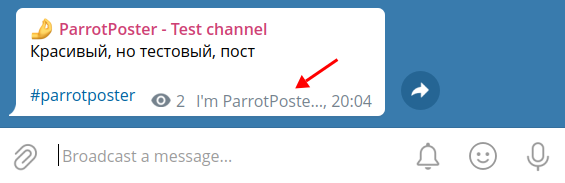
In a group it will look like this: 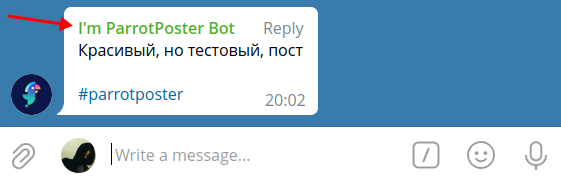
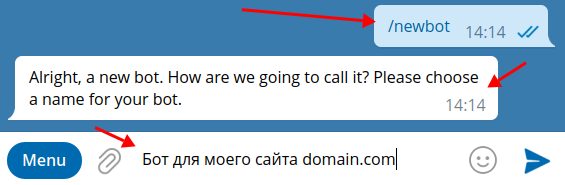
Next, set a username for the bot. The username must be in Latin characters and must end with bot, for example my_site_bot or mySiteBot.
Note
The bot username must be unique across Telegram. If a name is already taken, choose another one.
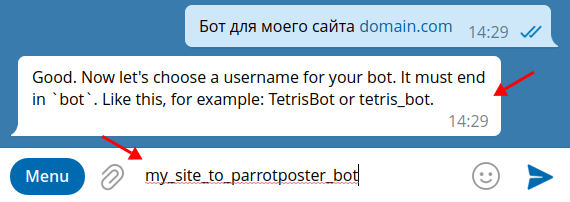
Congratulations — you have created a bot!
BotFather will give you a token for the bot; copy it (a single tap on the token is enough). You will need it soon.
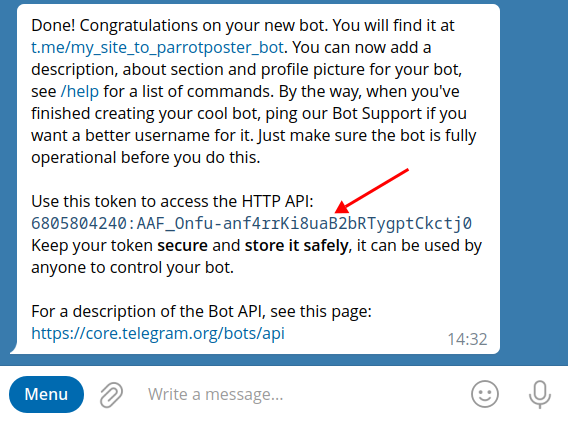
Now add the bot to your group or channel. To do that, you must be an administrator of the group or channel.
Adding the bot to a group
Open your group and its info. At the bottom, tap Add member (or similar).
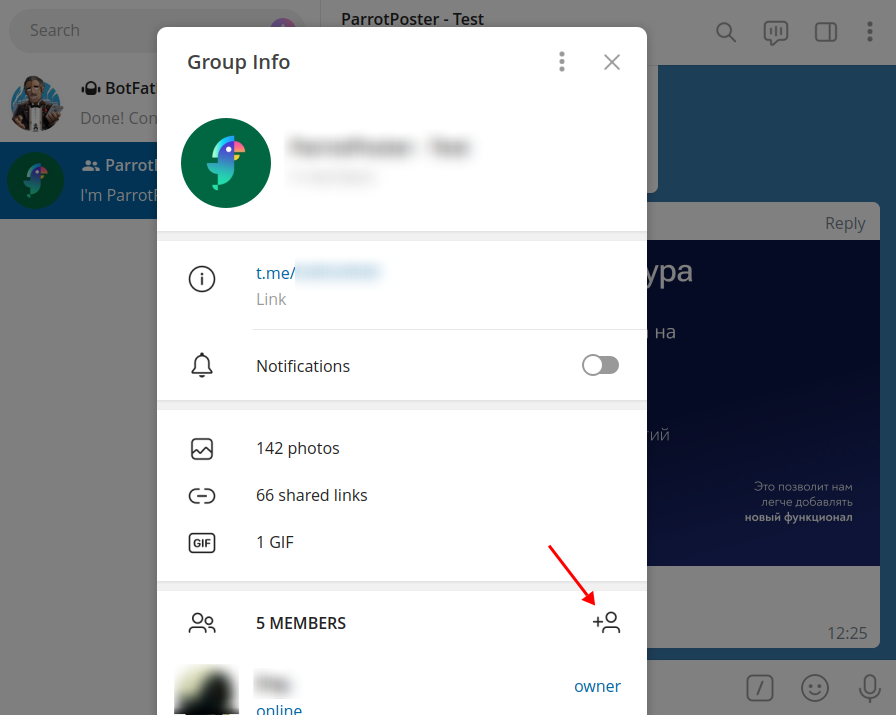
Enter the username of the bot you created. Your bot should appear in the list. Select it and tap Add.
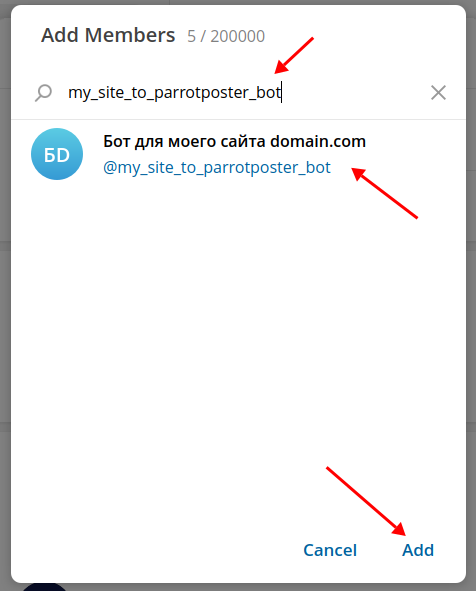
Done — the bot is in the group. Continue to the next step.
Adding the bot to a channel
Open your channel and its info. At the bottom, tap Add member.
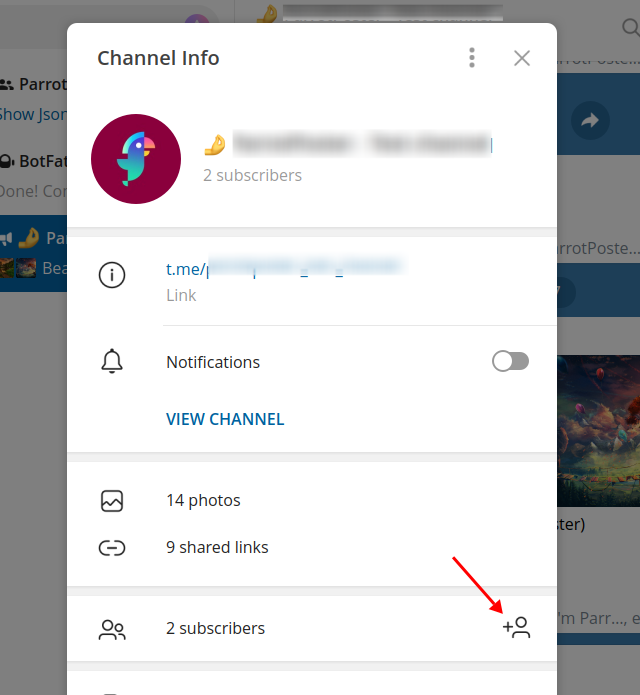
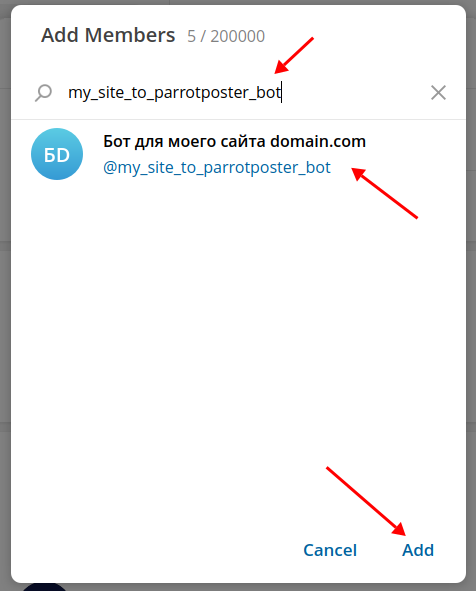
Enter the username of the bot you created. Select the bot from the list and tap Add.
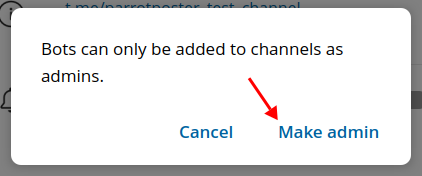
In a channel the bot must be added as an administrator — confirm that.
You can leave permissions such as editing channel info and posting messages enabled.
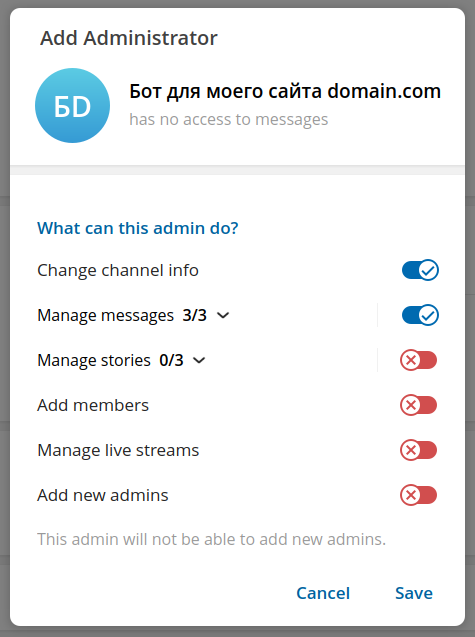
Done — the bot is in the channel. Continue to the next step.
Connecting in ParrotPoster
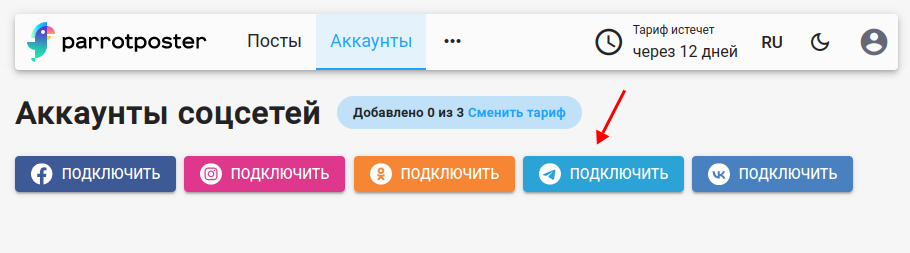
After the steps above, open the page for adding social networks and click Connect Telegram.
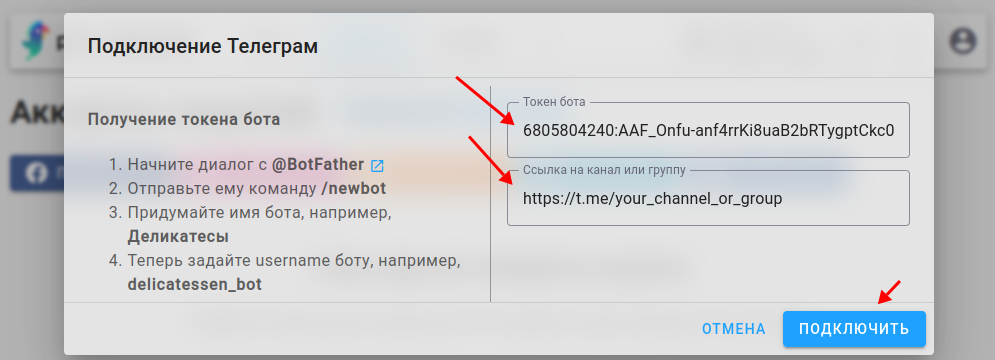
Enter the bot token from BotFather and the link to your group or channel in the corresponding fields. Then click Add.
Done — your Telegram account is connected in the service.