
Publishing to Dzen
In Accounts the Dzen button does not connect a separate account; it opens a hint: autoposting to Dzen is set up via Telegram. Full instructions are below.
How it works
Dzen does not provide an open API for third-party services to publish content. The official way to automate publishing is via the official Dzen Telegram bot @zen_sync_bot, which mirrors posts from your Telegram channel to Dzen.
The scheme is simple: ParrotPoster publishes a post to your Telegram channel → the bot automatically copies it to Dzen.
Limitations
- Updating or deleting a post in Telegram is not synced to Dzen — edit it manually in Dzen Studio.
- The Telegram channel must be public.
- The format of the publication in Dzen (post, article or media post) is chosen by Dzen itself based on the Telegram post content.
Step 1. Connect your Telegram channel in ParrotPoster
If you have not connected your Telegram channel to ParrotPoster yet, do it first.
👉 Telegram channel connection guide
After connecting, come back here and continue.
Step 2. Link your Telegram channel to Dzen
2.1. Get an access code in Dzen Studio
- Open your channel in Dzen and go to the channel settings.
- In the left menu find Settings → Crossposting → Telegram bot.
- Click Get access code.
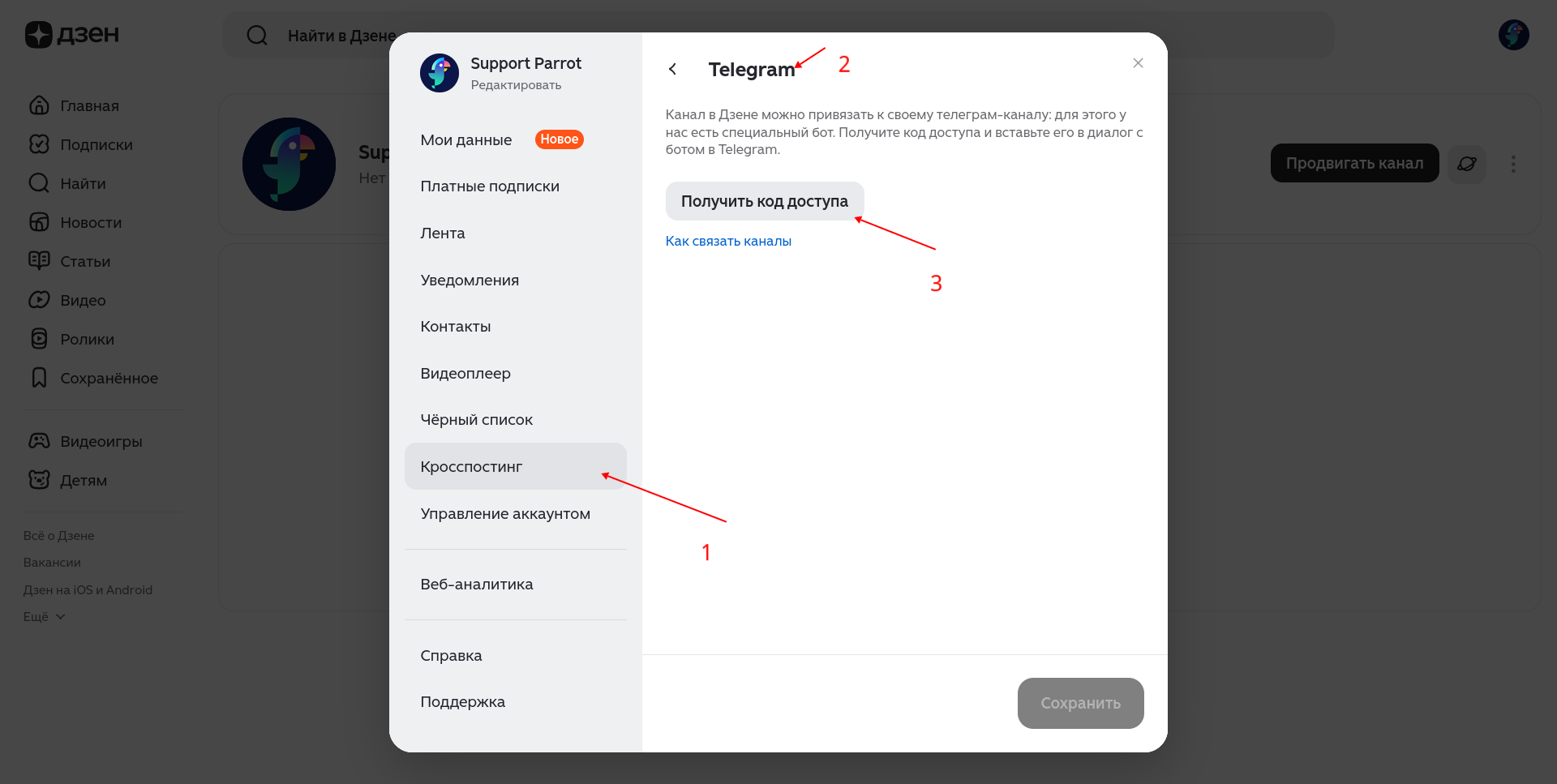
The code is a long combination of letters and digits. Copy it — it is valid for 30 minutes, after which you must generate a new one.
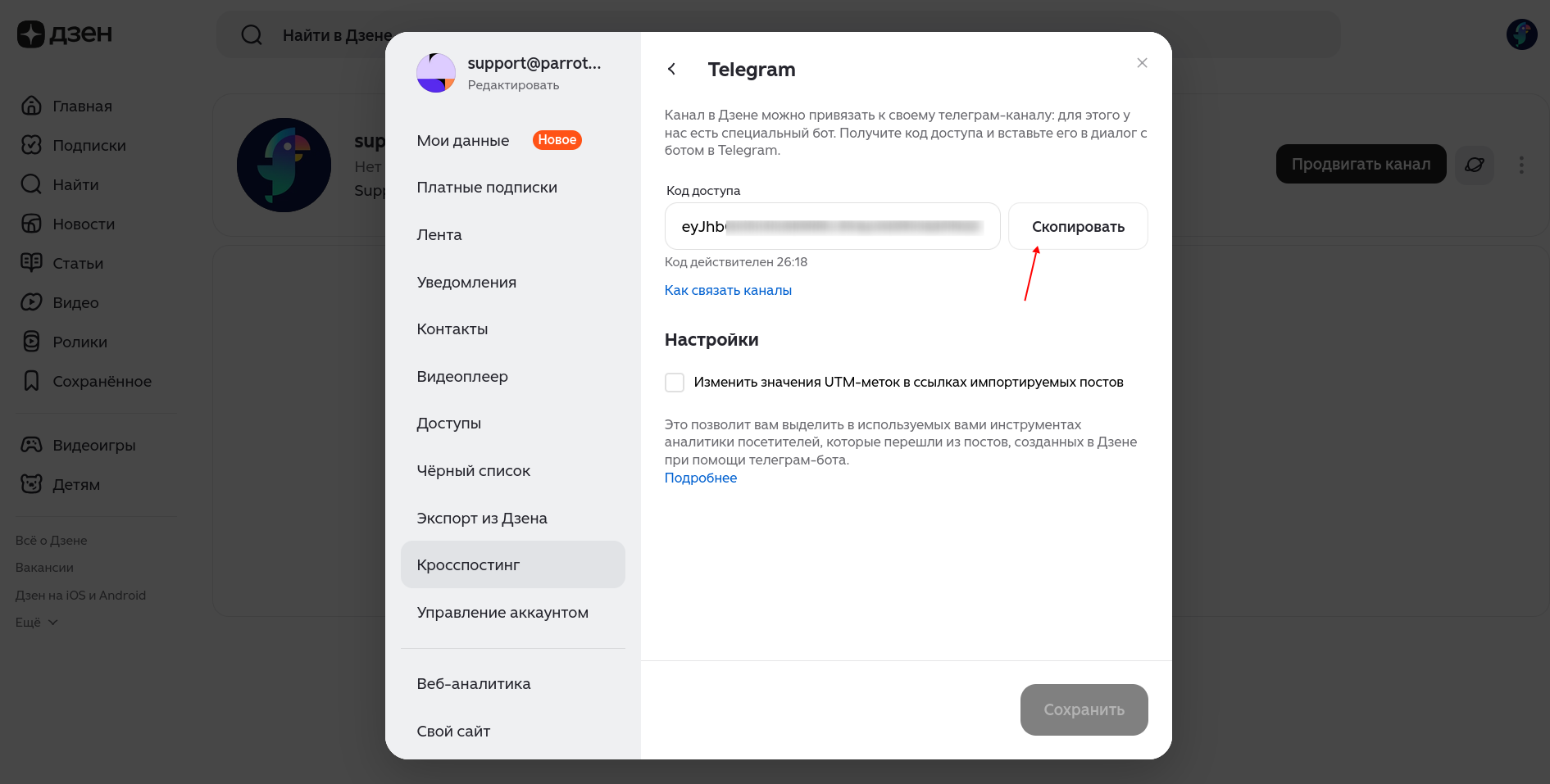
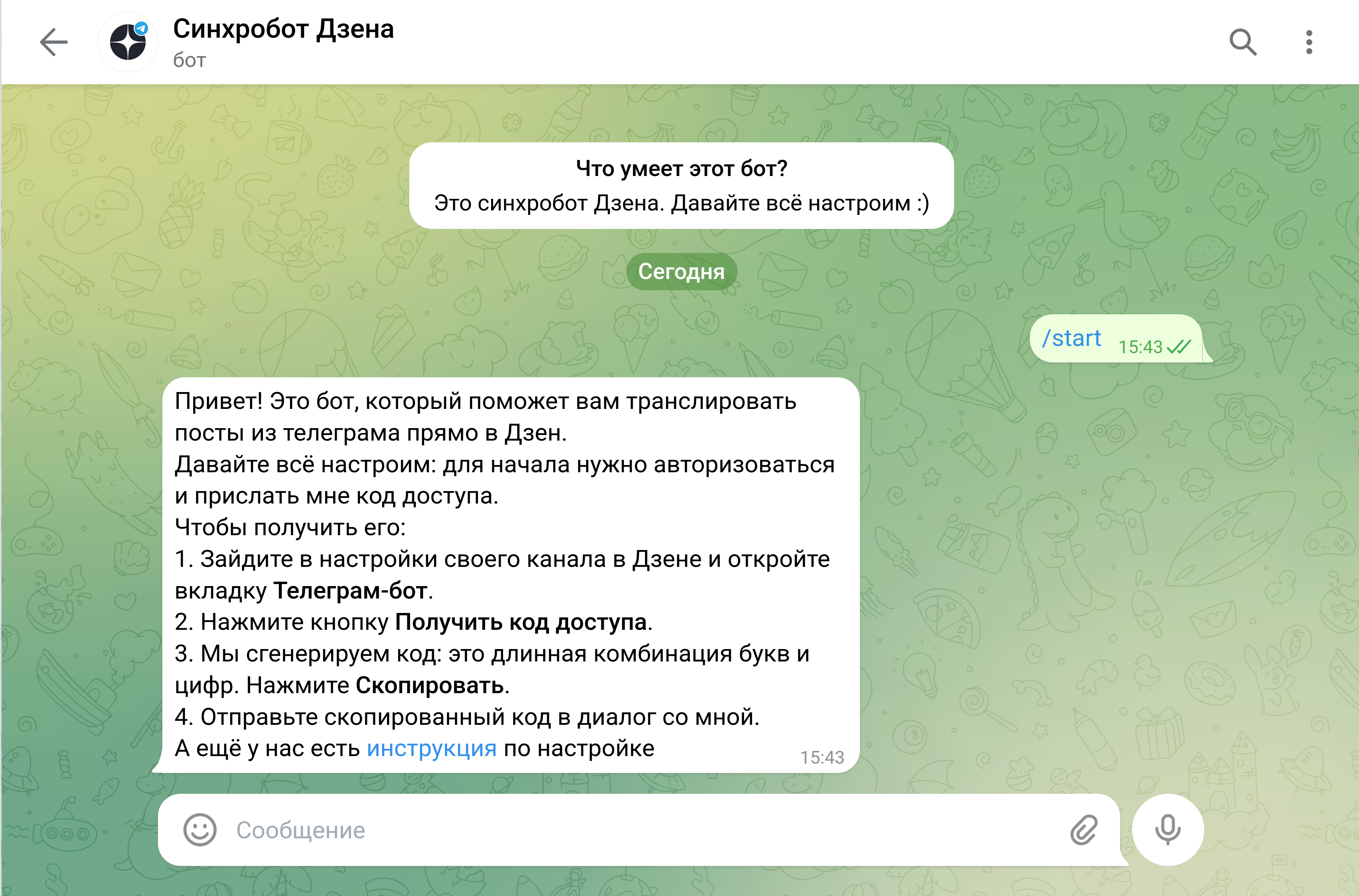
2.2. Link the channel via the Dzen sync bot
- Open Telegram and find @zen_sync_bot ("Dzen sync bot").
- Click Start (or send
/start).
- Paste the copied code into the chat with the bot. The bot confirms the link to your Dzen channel and asks for consent.
- Confirm.
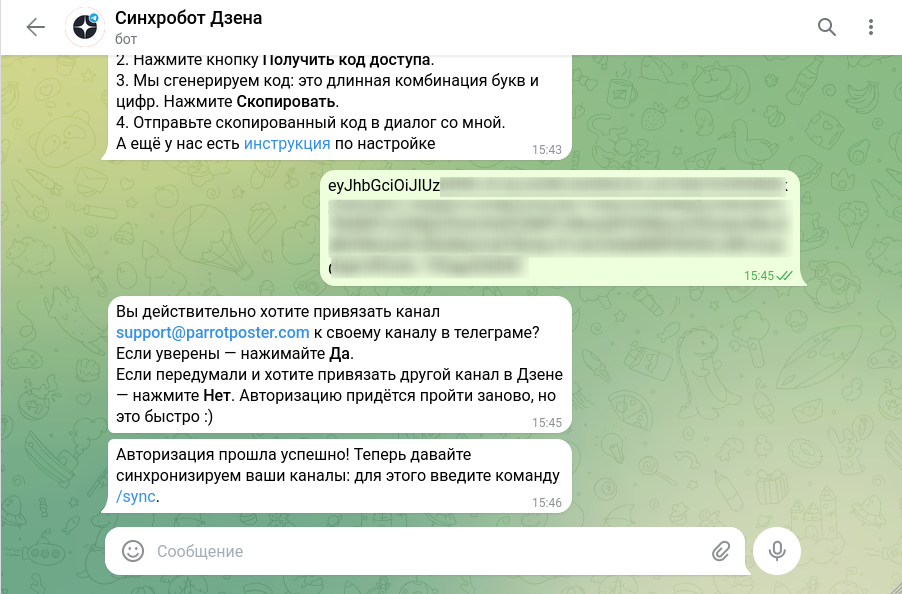
- Send the
/synccommand.
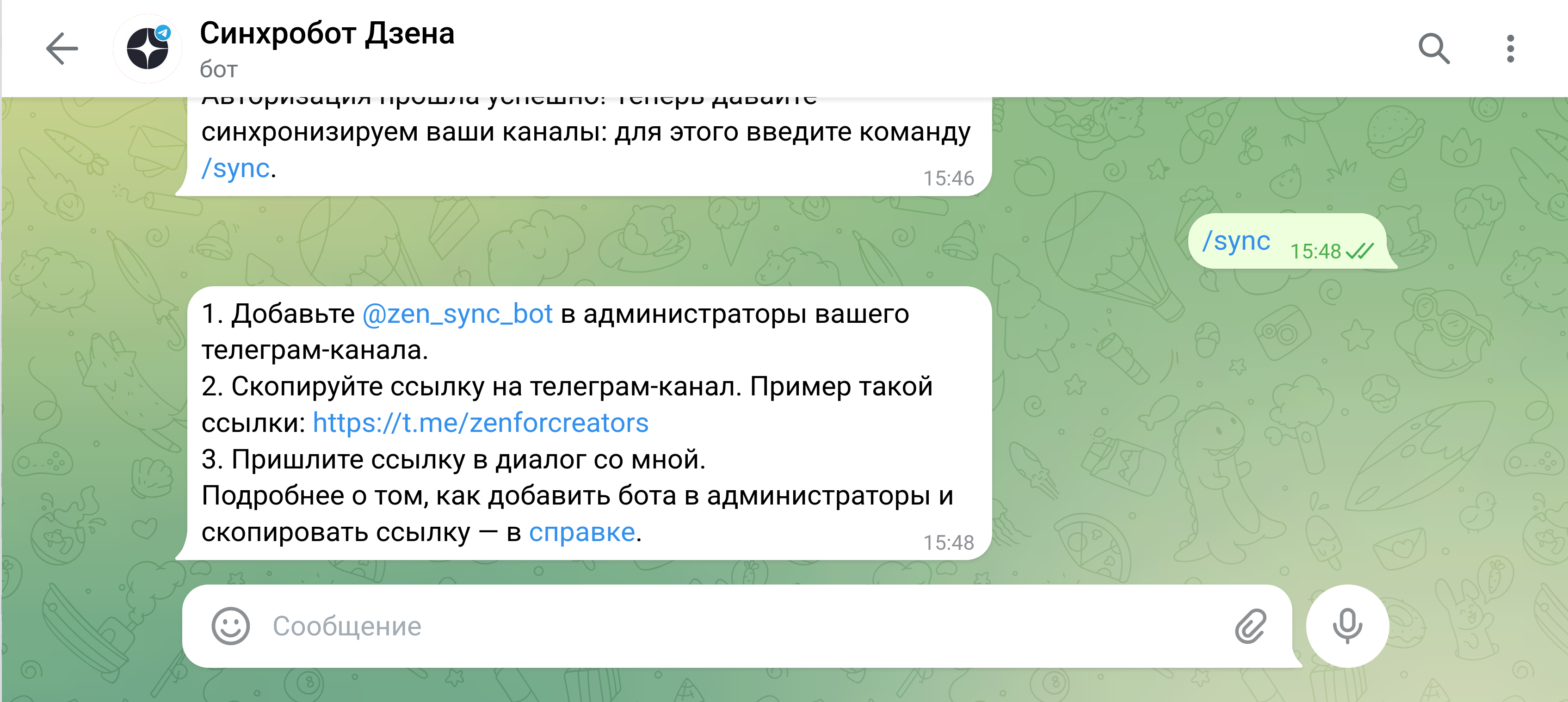
2.3. Add the sync bot as an admin of your Telegram channel
The bot asks you to add it as an administrator of your Telegram channel.
- Go to your Telegram channel and open its settings.
- Go to Administrators → Add administrator.
- Find @zen_sync_bot in the search and select it.
- Confirm (it is enough to keep the Post messages permission).
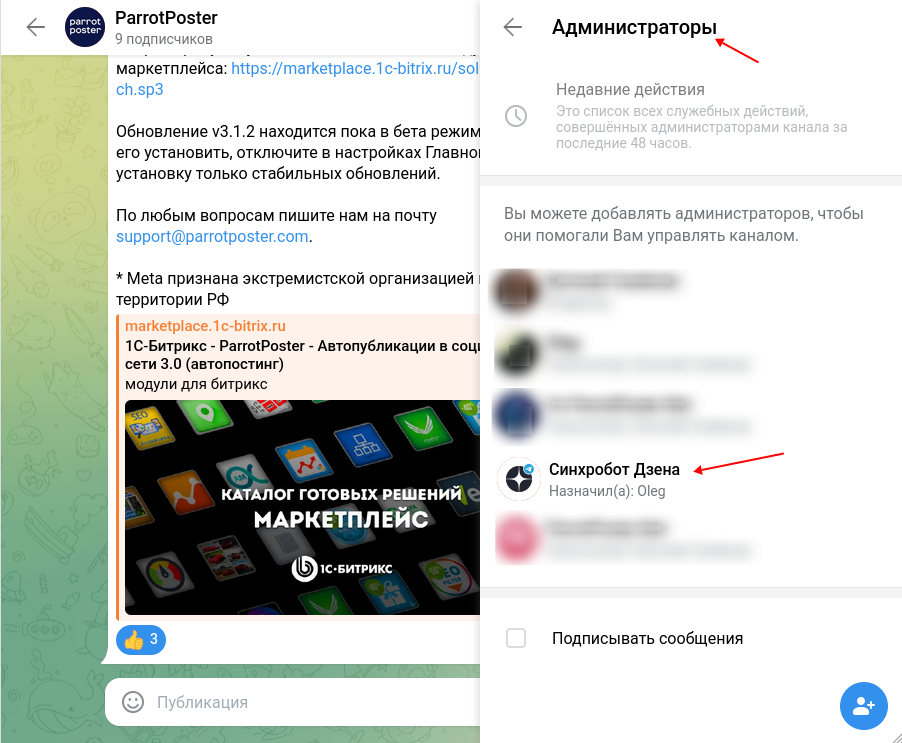
2.4. Send the channel link to the bot
- Go back to the chat with @zen_sync_bot.
- Copy your Telegram channel link (like
https://t.me/channel_name) and send it to the bot.
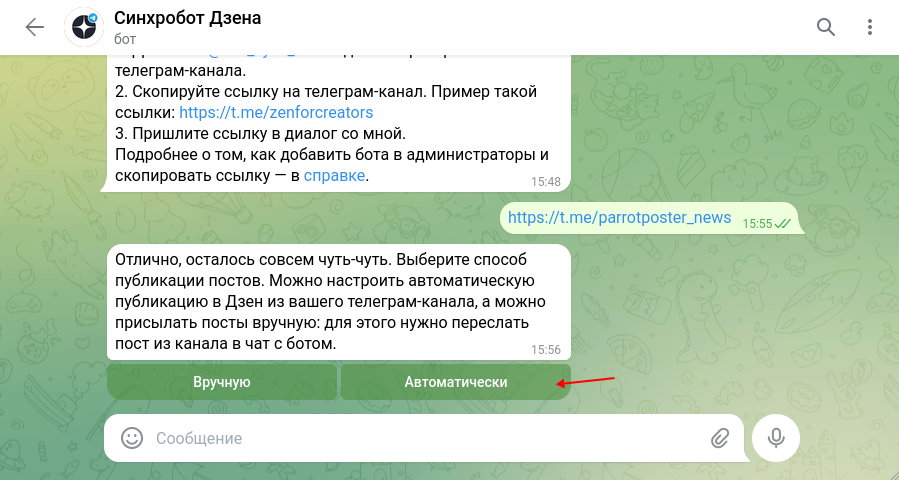
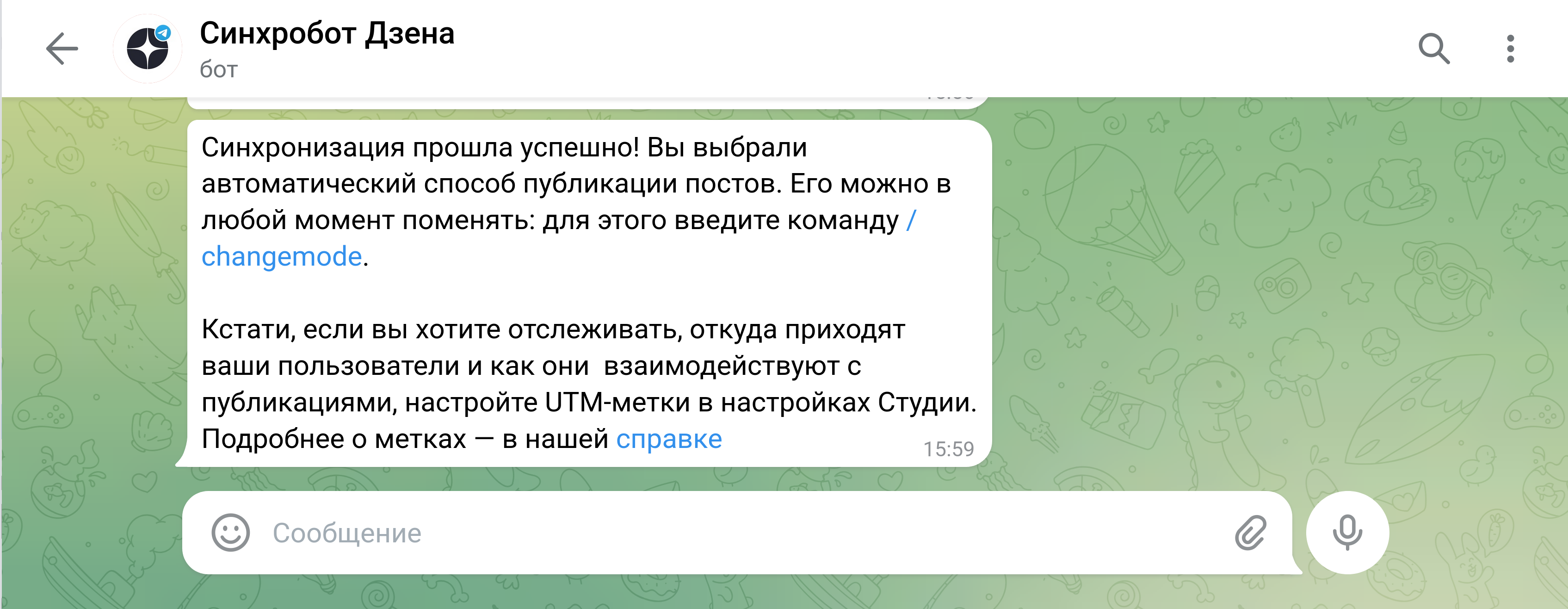
- Choose the publishing mode: automatic (all posts from the channel are mirrored to Dzen immediately) or manual (you forward the post you need to the bot chat and it appears in Dzen).
We recommend "automatic"
With ParrotPoster the automatic mode is more convenient: every post sent through ParrotPoster to the Telegram channel appears in Dzen with no extra steps.
Step 3. Verify it works
- In ParrotPoster create a test post and select your Telegram channel as the publishing account.
- After publishing, go to your Telegram channel — the post should appear.
- After a few minutes open your channel in Dzen — the post should appear there too.
FAQ
Can I connect several Dzen channels?
Yes. Each Telegram channel has to be linked separately to its own Dzen channel via the bot — create a separate account in ParrotPoster for each Telegram channel.
I edited/deleted a post in Telegram — will it change in Dzen?
No. Edits and deletions in Telegram are not synced to Dzen. To change material already published in Dzen, open Dzen Studio and edit it manually.
The post was published in Telegram but did not appear in Dzen
Wait a few minutes — synchronization takes time. If the post still does not appear:
- Check that @zen_sync_bot is still an administrator of your Telegram channel.
- Check that the Telegram channel is public.
Can I publish a post only to Dzen, bypassing Telegram?
No — there is no such option. Dzen receives posts only from a Telegram channel via the sync bot.