
Connecting Facebook
The connection uses the official Facebook authorization. You can publish only to Facebook Pages: neither personal profiles nor groups can be connected.
Instructions
Open the Accounts section and click the Facebook button above the account list.
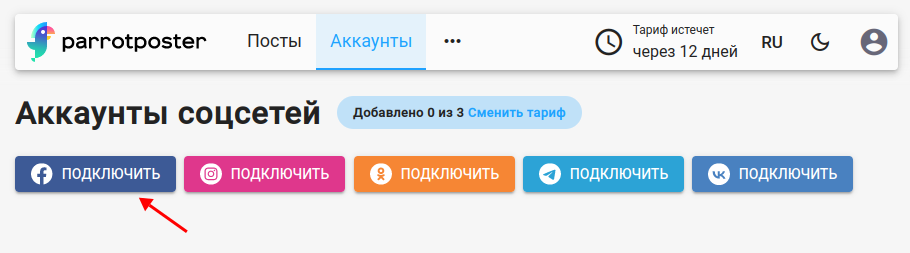
If you already have an active Facebook connection, ParrotPoster offers to Use it or create a New connection.
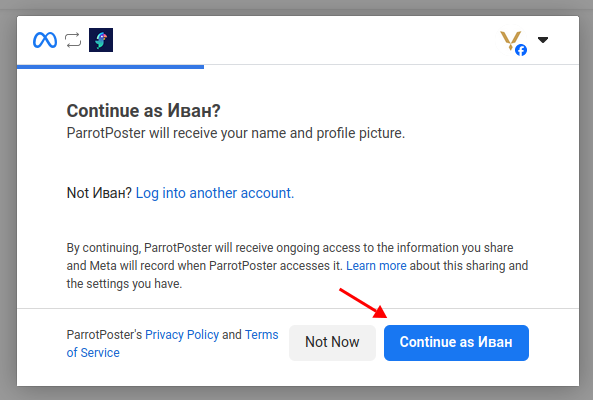
Facebook asks you to confirm access for ParrotPoster. Click Continue.
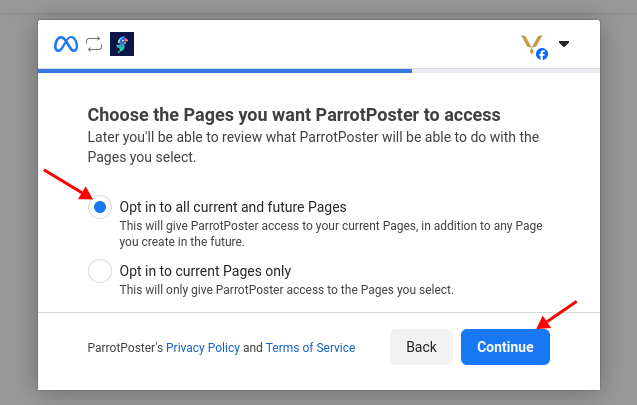
Choose the option that grants access to all page lists, so that adding new Pages later causes no problems, and click Continue.
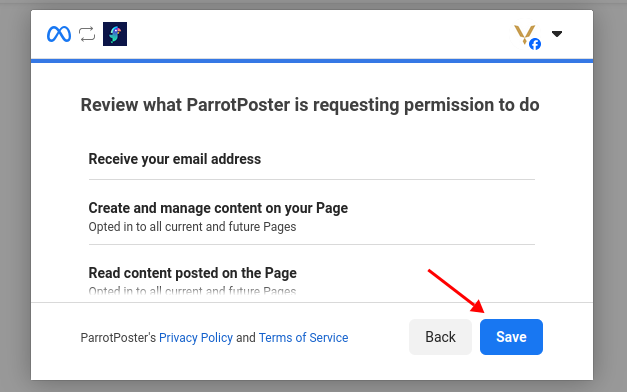
Facebook shows the permissions ParrotPoster will get. Click Save.
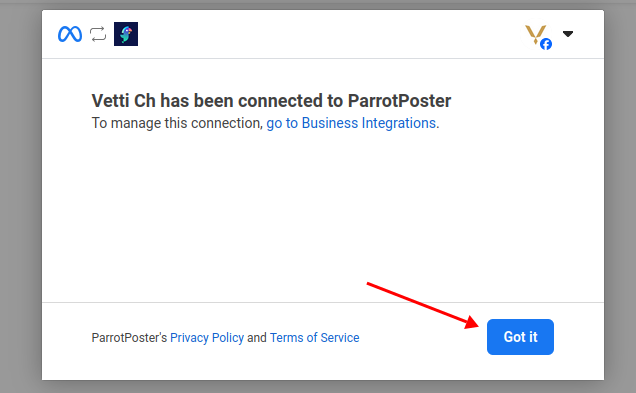
Facebook shows a link to the page where you can manage access for all apps (it is also available in your profile settings). Click OK.
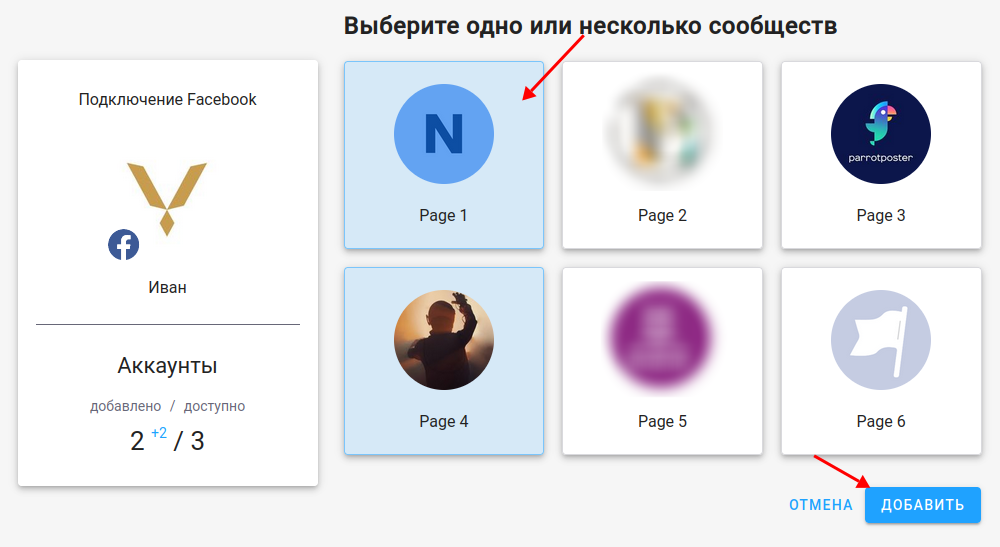
On the "Select communities to add" page, tick the Facebook Pages you need and click Add.
Done: the pages appear in the account list.
Reconnecting
If an account shows an error, choose Reconnect in the account card menu: ParrotPoster tries to restore access automatically and opens the Facebook authorization again only when needed. See the accounts overview.
Troubleshooting
The list of groups is not shown
Only Facebook Pages can be connected to ParrotPoster at the moment; groups are not supported.
I cannot select my profile
ParrotPoster does not publish to a personal profile, only to Pages created for that purpose.
The list is empty at the page selection step
Check that you are an administrator or moderator of the Page and that you allowed access to all Pages at the access selection step. If the problem remains, write to support@parrotposter.com.