
ParrotPoster module for 1C-Bitrix
The vettich.sp3 module ("Автопубликации в соц. сети", Social network autoposting) connects a "1C-Bitrix: Site Management" site to ParrotPoster: you manage accounts and posts from the Bitrix admin panel, and infoblock materials can be published to social networks automatically. The module interface is in Russian, so the original item names are given in parentheses.
Requirements
- PHP 7.4 or newer;
- PHP extensions
curlandjson— the module checks them on installation and in the admin panel; - write access to the
vettich.sp3module for the user who authorizes the module (Bitrix user group settings).
Installation
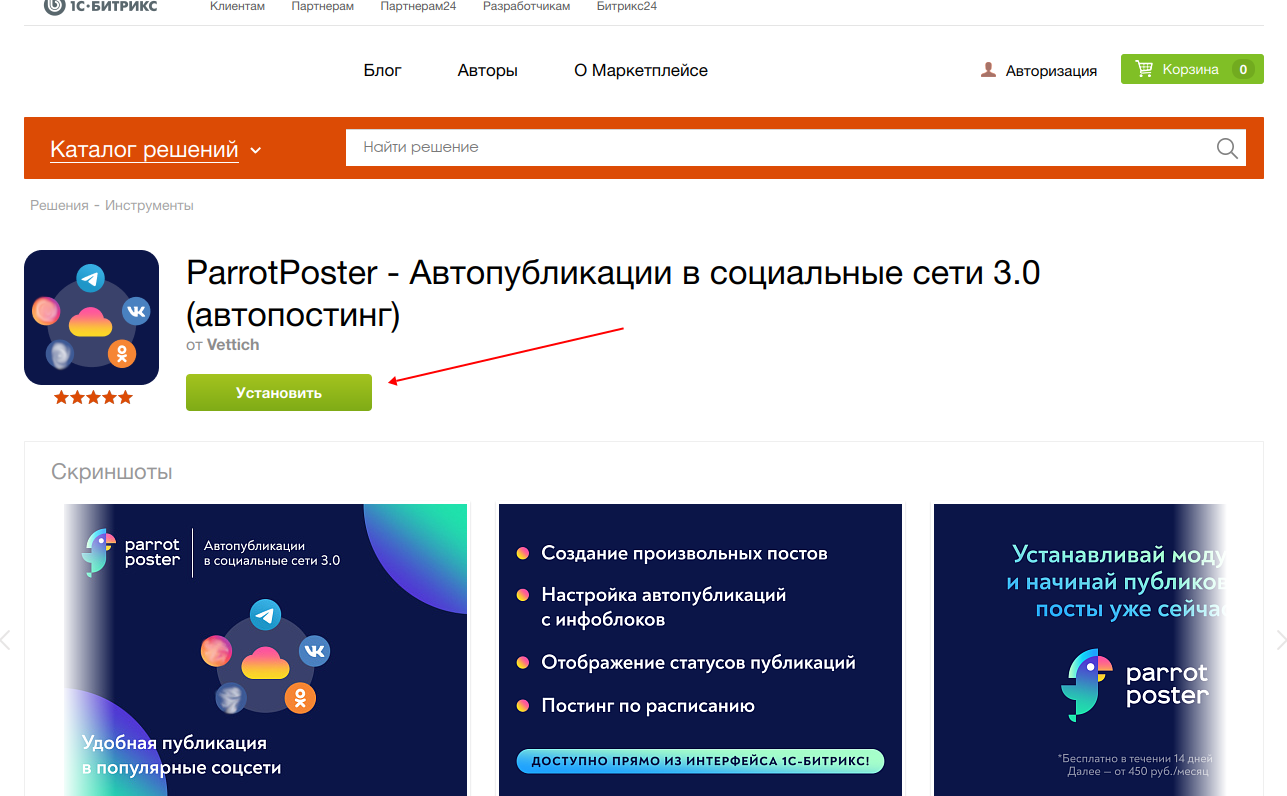
Open the module page in the 1C-Bitrix Marketplace and click "Install" (Установить). The rest of the installation is standard for Bitrix.
In the admin panel open Settings → Product settings → Modules, find the "vettich.sp3" module ("Автопубликация в социальные сети 3") and make sure it is installed (click "Install" if needed).
In the admin menu open Services → Автопубликации в соц. сети.
Authorization
The module works on top of the ParrotPoster cloud service, so you need to sign in or register in it.
Open Начать ("Start") — "Начать пользоваться. Вход в сервис". It opens the web app's authorization window inside the admin panel.
Sign in or register (email and password, or the other methods available on the screen) and confirm your consent to the privacy policy.
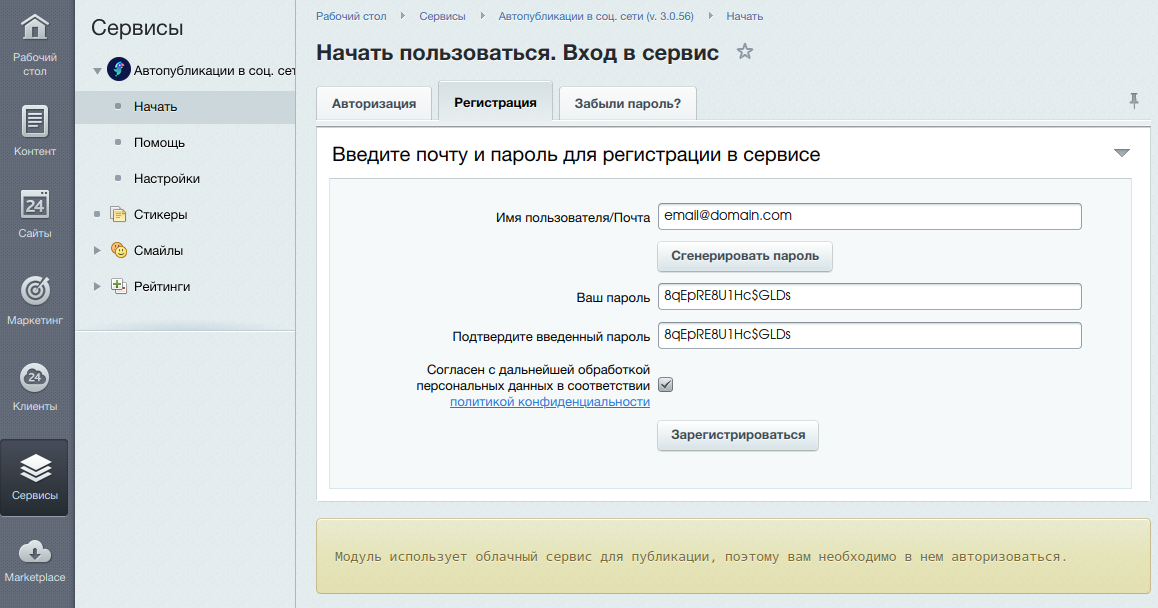
After a successful login the rest of the module sections replace "Начать" in the menu.
New users get a free 14-day trial. The same email and password work for signing in to the web app at parrotposter.com.
Not enough permissions
If you see a message about insufficient permissions, ask the site administrator to give your group write access to the vettich.sp3 module (in the Bitrix user group settings or on the module settings "Access" tab) and sign in again.
Module menu
The menu is in Services → Автопубликации в соц. сети.
| Item | What it is |
|---|---|
| Начать (Start) | Sign-in and registration (visible until you are authorized). An embedded window of the web app |
| Пользователь (User) | Account data: name, plan, plan expiry, accounts used, a link to the list of plans, the "Выйти" (Log out) button |
| Аккаунты (Accounts) | Connecting social networks — Accounts. An embedded window of the web app |
| Посты (Posts) | Creating and listing posts — Posts. An embedded window of the web app |
| Шаблоны (Templates) | Classic autoposting from infoblocks — Classic autoposting for 1C-Bitrix |
| Помощь (Help) | A short module reference |
| Что нового (What's new) | Changelog (the item can be hidden in the module settings) |
| Настройки (Settings) | Bitrix module settings (visible to users with write access) |
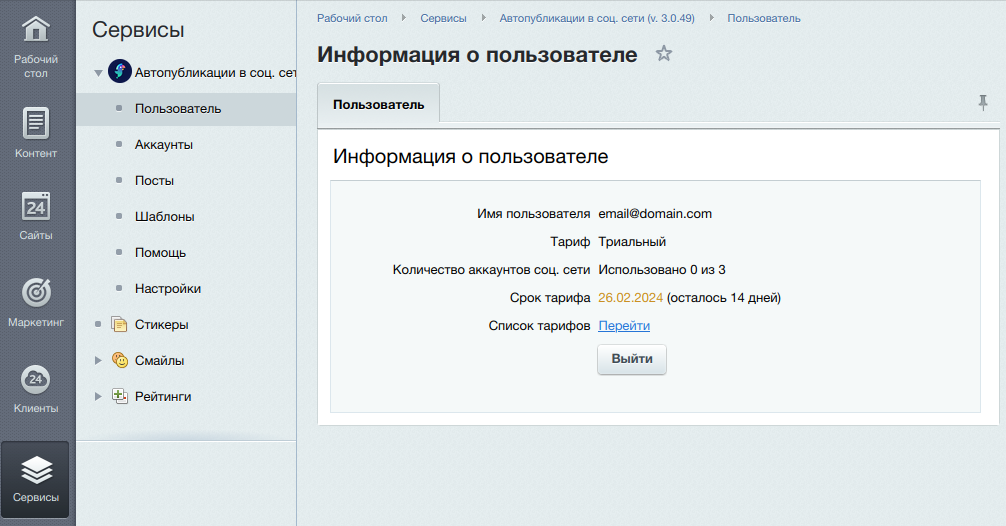
The module has no ParrotAI, no "Support" section and no web app settings — they are available in the web app with the same account.
Accounts
Open Аккаунты. Right after registration the list is empty.
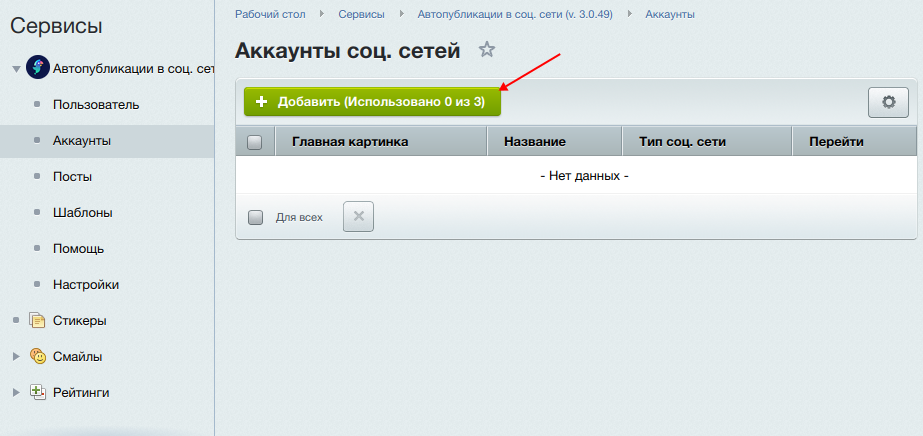
Click "Добавить" (Add). The brackets on the button show how many accounts are connected and how many your plan allows.
Choose a network, click "Перейти к добавлению" (Go to adding) and select the group or page you need.
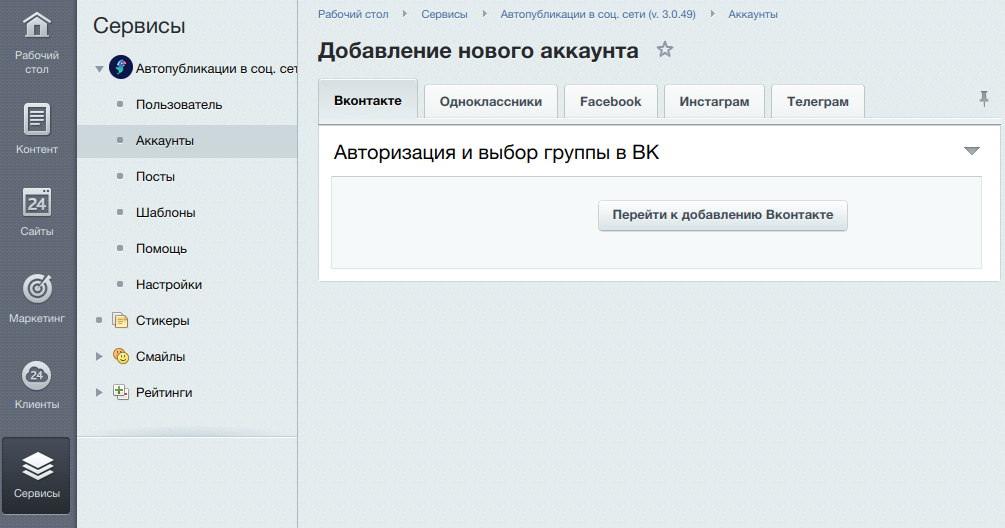
Details for each platform: VKontakte, Telegram, Facebook, Instagram, Odnoklassniki, Dzen, MAX.
Posts
"Посты" is a window of the web app: creating a post, choosing accounts, network settings, scheduled publishing. Instructions are in Posts.
If the "Посты" page shows "В локальной очереди элементов: N" ("Items in the local queue: N"), that is a temporary task list on your site: changes to infoblock elements that the module is still sending to ParrotPoster. Sending runs separately, in the background.
Automatic publishing
The module uses classic autoposting through "Шаблоны": a template is bound to an infoblock and publishes new elements to the selected accounts (the analogue of the "Instantly" mode), and can also unload already existing elements (the analogue of the "Archive" mode). Details: Classic autoposting for 1C-Bitrix.
New automation is not available in the module yet
The module for 1C-Bitrix has no "Automation" section (the web app's pipelines). The new automation is available in the web app for RSS sources and in the WordPress plugin.
Module settings
Services → Автопубликации в соц. сети → Настройки opens the standard Bitrix module settings page. It has two tabs:
- Настройки (Settings) — the option "Показывать пункт "Что нового" в меню модуля" (show the "What's new" item in the module menu);
- Доступ (Access) — user group permissions for the module (read and write; authorization and settings need write).
Agents and cron
The module needs Bitrix agents: they send accumulated changes from the local queue to ParrotPoster and refresh the domain list. For agents to run on schedule and not only on site visits, add this to /bitrix/php_interface/dbconn.php:
define("BX_CRONTAB_SUPPORT", true);
and set up running agents from the server's cron as described in the 1C-Bitrix documentation for running agents on cron.
Troubleshooting
| Symptom | What to do |
|---|---|
| A message about PHP or the curl extension | Update PHP to 7.4+ and enable the curl extension |
| The module menu only has "Начать" | Authorize in the module (see above) |
| Not enough permissions | Give the group write access to the vettich.sp3 module |
| The local queue grows on the "Посты" page | Check that Bitrix agents are running (see above) |
| Publishing fails / an account cannot be added | Check the plan and account limit in "Пользователь"; Billing |
Cannot find an answer? Write to support@parrotposter.com.